
AI chatbot for OnlyFans & Fansly
The OnlyFans AI chatbot that runs the inbox
It reads every message, answers in your voice, and prices and sends the content itself. You get the fans worth your time, and a number for what the AI earned.
Answering fast is the easy half.
A fan chat runs for weeks, and the money is in what happens after the first reply: whether the fan is remembered, whether the pitch lands at a moment they are ready for, whether the person on the other end still sounds like you.
Three things decide whether an AI chatbot can hold that conversation, and this one is built around them.
It has to sound like one person.
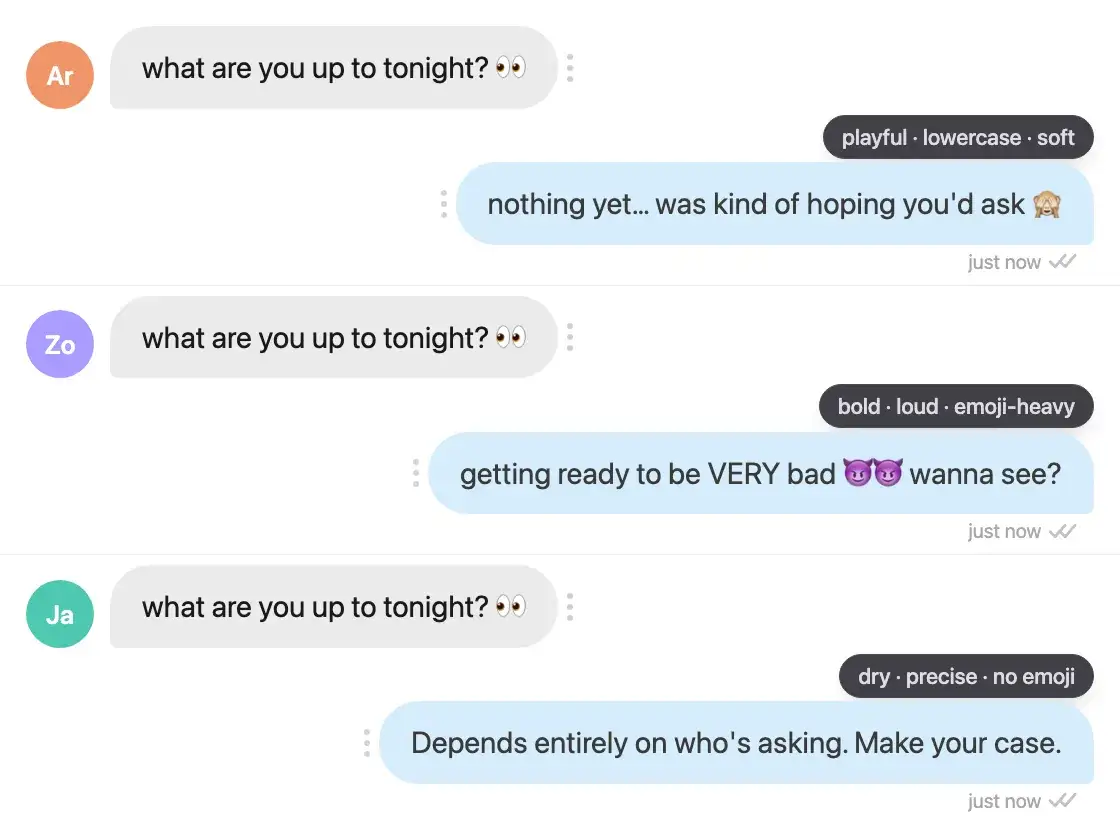
A fan notices a change of voice faster than a slow reply. Persona, tone and heat level are configured per creator account, and every message the agent writes comes out of that profile.
It has to know when to charge.
The moment to send a priced message is the one where the fan has already said yes to it. The agent tracks where each conversation has got to, and prices the content for that account.
It has to know when to stop.
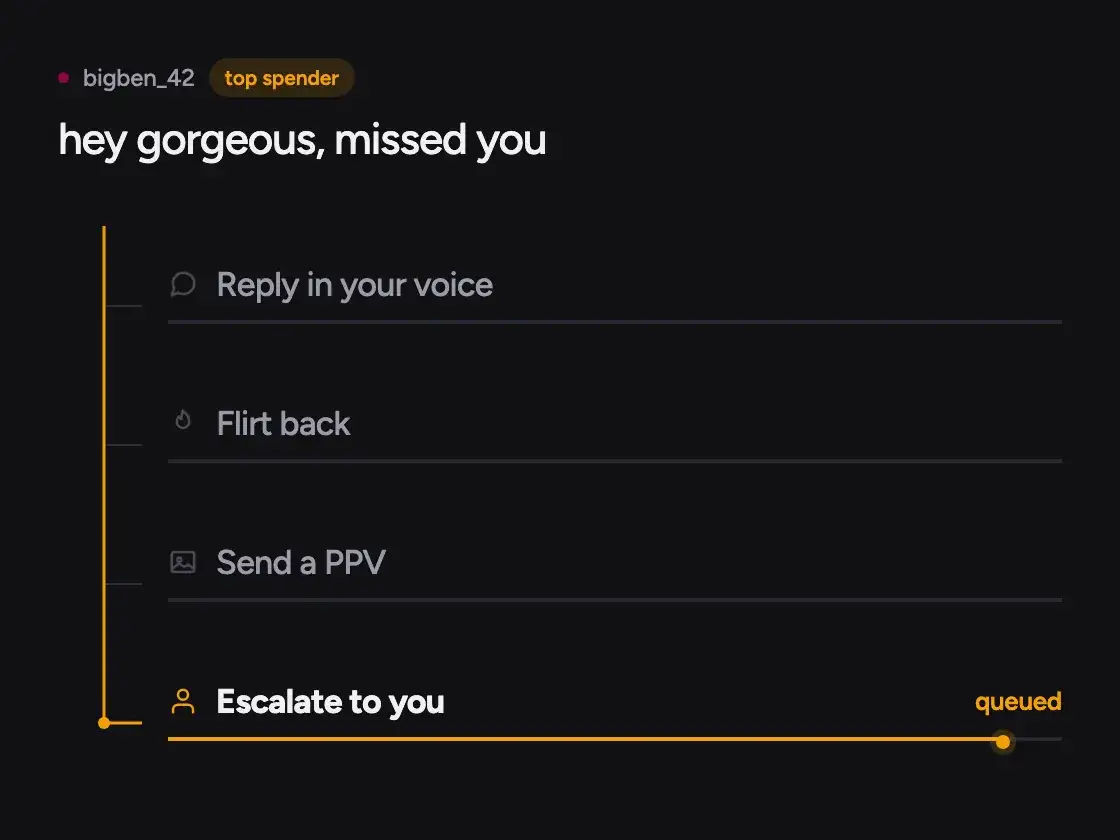
Top spenders can be kept off the AI and routed to a person, anything flagged goes to the review queue, and you can take a conversation back at any time.
What happens when a fan messages you
One message, start to finish: read, answered, priced, attributed.
It reads the whole thread
The agent picks up what the fan has bought, what they asked for and where the last conversation stopped, then writes the next message from that.
It sells without being told to
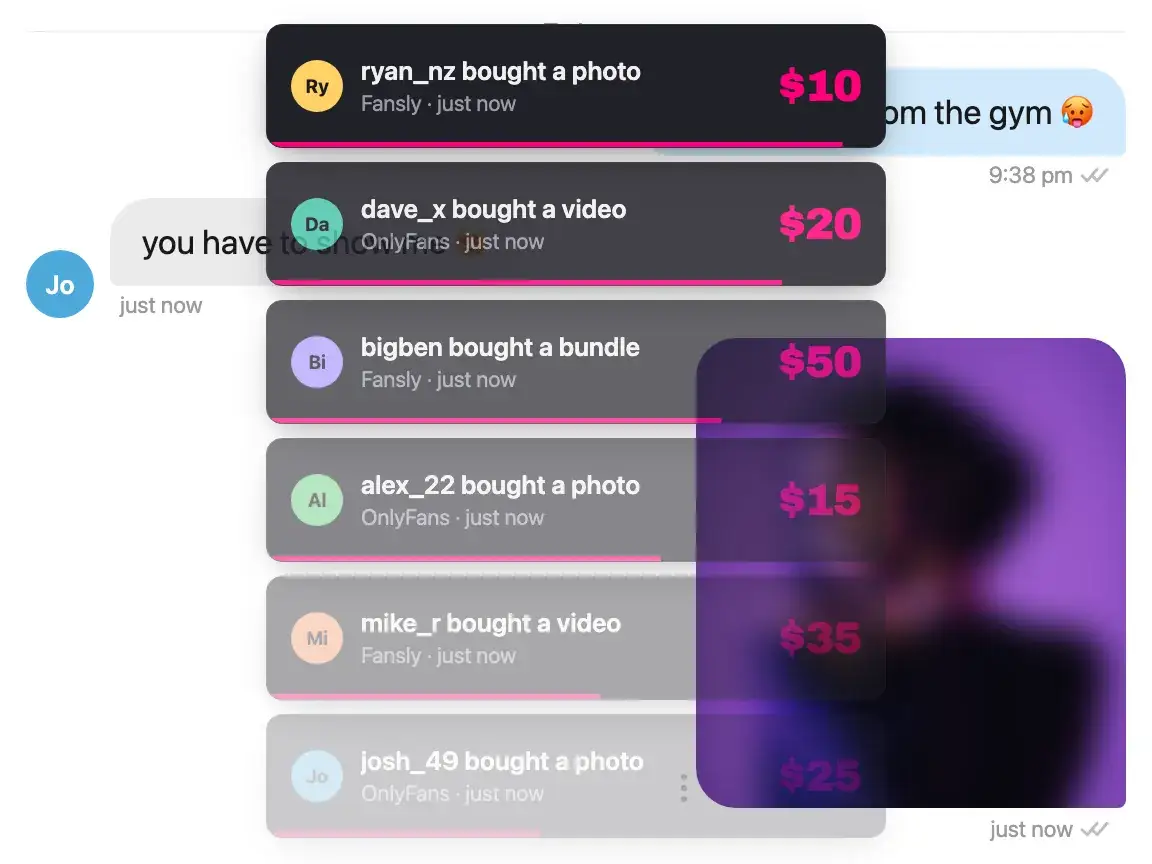
When the conversation is ready for it, the agent prices a piece of content and sends it. Nothing waits in a queue for you to approve.
You get the fans, and the number
Top-tier fans and escalations come straight to you. Every sale the agent made is attributed to the message that made it.
Every reply sounds like you.
Set the persona once: how you talk, how direct you get, which emoji you actually use. The agent writes from that profile on every message, and it answers in the language the fan wrote in. Every setting the persona carries is written out on its own page.
- Persona and pricing configured per creator account
- Fan memory: what they bought, what they asked for, where the thread stopped
- A fan CRM behind it: profiles, labels, notes, source and lifetime spend, yours to read and edit
- Detects the fan's language and replies in it
- You can take any conversation back from the agent at any time
Two ways to answer, and an inbox needs both
Both get called an AI chatbot, and they do different jobs. One inbox has both kinds of fan in it, which is why Sassychat ships both.
A chatbot that drafts
It writes a suggested reply and waits for someone to read it, edit it and press send. Coverage lasts as long as your chatters are at a keyboard, and the suggestion is only as good as the person judging it. On the fans worth a person's attention, that judgment is the whole point of having them.
An agent that sends
It holds the conversation: answers, remembers, prices and sends. Nobody has to be awake for the inbox to earn. A person is brought in for top spenders and for anything flagged, where being recognized is most of what the fan is paying for.
Sassychat does both, and the division is per fan rather than per account. Your top spenders go to a person automatically, and in those threads the composer carries Friendly, Flirty, Naughty and Sales buttons that write a draft for your chatter to edit and send. Every other fan the agent handles on its own, and while it holds a thread the draft buttons are off, so the agent and your chatter are never writing to the same fan at once.
All of it runs from the desktop app on your own machine, so there is no password to hand to anybody. You choose who answers new fans when you connect an account, the agent or your chatters. After that you start and stop the AI session per account, and you can take any conversation back whenever you want it.
The number is what the AI earned.
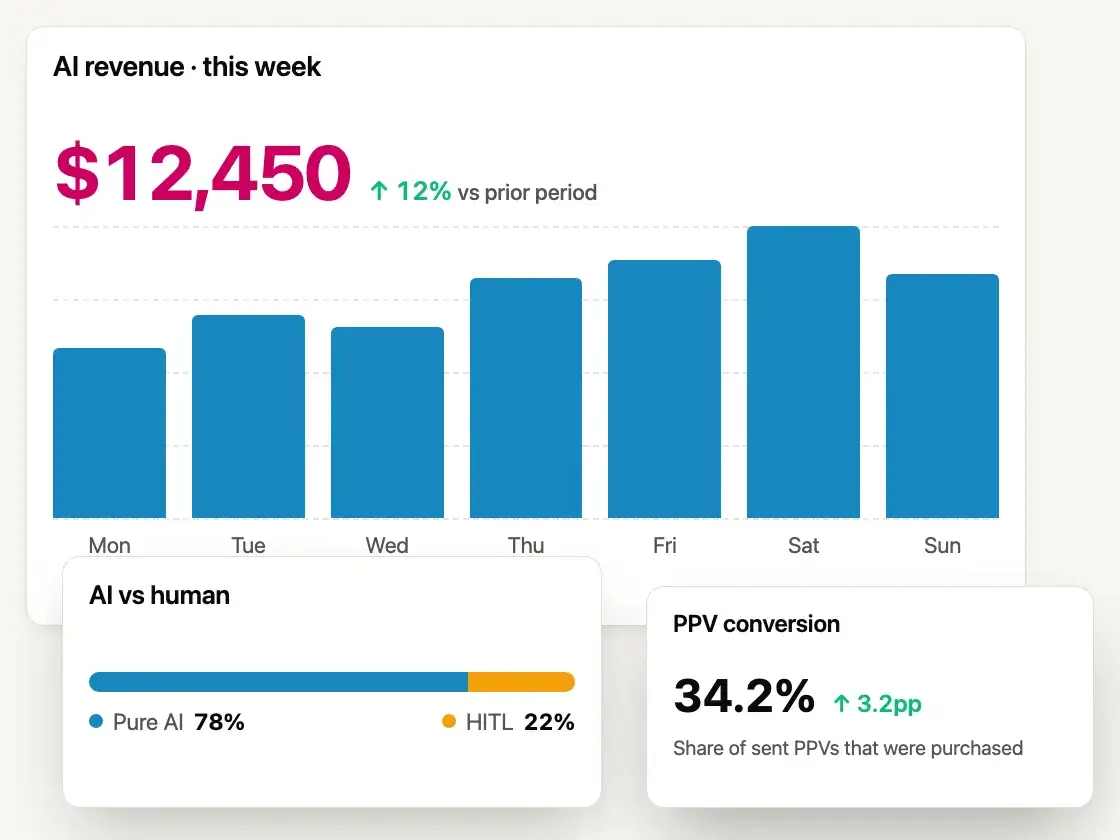
When a fan buys, we match the purchase to the message that sold it. If the agent sent that message the sale counts as the AI's, and if you or your chatter sent it, it does not. So each account's AI revenue is a count of real sales rather than an estimate, and it is the same number your commission is charged on.
- Each creator account reports its own AI revenue
- Sales you or your chatters made are never counted as the AI's
- Per-account tier labels and pricing
- OnlyFans and Fansly in one place
For agencies
Running 5 accounts, or 50?
Each creator account gets its own persona, its own pricing and its own number. Your chatters stay on the handful of fans who answer to being known, and the agent covers the hours nobody is working. Which layers of an agency stack we run is a page of its own.
Talk to us about volume pricing- Per-account persona, pricing and tier labels
- Top spenders routed to your own chatters
- AI-attributed revenue broken out per account
- Fixed fee per account plus commission on AI sales
What it costs
A fixed fee per creator account, plus a commission on the sales the AI itself makes. The cost follows the revenue rather than the message count, so an account that earns nothing in a quiet week costs you the fee and nothing else. The pricing section has every plan fee and commission rate, and a new account starts with $100 in trial credit, with no card.
Related pages
What it costs against a chatter
The arithmetic against a wage and a share together, with the costs a comparison usually leaves out.
What it automates
The two kinds of DM automation, which one this is, and the one thing it will not do.
Making it sound like you
What the persona is made of, and what changes in the messages when you set it well.
The same agent on Fansly
What carries over from OnlyFans, and the platform differences that change the answer.
Running a roster
Which layers of an agency stack we cover, which we do not, and how the pricing works per account.
Every tool compared
Five tools on what they do, what they cost and where each one falls short, ours included.
For creators
What the agent is doing inside those conversations, written out in full. Useful for judging whether it is doing the right thing, and usable on its own if you work the inbox yourself.
How to Drip PPV on OnlyFans, From First Reply to Sale
Lead the conversation into a priced sequence, send each locked message only after a yes, and pace the next drop on the subscriber's reaction instead of a timer.
Raise Your OnlyFans Price Without Losing Subscribers
Work out how many subscribers you can afford to lose, then raise your price in stages, with a clear call on the 20% discount first month and the announcement.
How Much to Charge for a Girlfriend Experience per Day
Work out a daily GFE rate from your reachable hours and emotional load, then decide whether a weekly package should be a multiple, a discount or a premium.
Questions a buyer asks
About running an AI chatbot on an OnlyFans or Fansly inbox.
Is Sassychat an AI chatbot for OnlyFans?
Yes, and it does the sending. Most tools in this category write a suggested reply and wait for a person to send it. Sassychat holds the conversation itself on OnlyFans and Fansly: it reads every message, answers in your voice, prices and sends content, and routes top spenders and anything flagged to a person.
How is this different from a chatbot that suggests replies?
A tool that only drafts still needs someone at a keyboard, so the inbox is covered for as many hours as your chatters work. Sassychat has the draft buttons too, in the threads your chatters keep, and the agent sends on its own for every other fan. That is what covers the rest of the day, and it is why the hours you pay for go to the fans who notice them.
Do I have to share my password?
No. The agent runs inside your own login session, in the desktop app on your own machine. Your password never leaves your device, and no third party holds your credentials.
Is it against OnlyFans or Fansly Terms of Service?
Platform terms change, and automation tools are your responsibility to check against them, so read the current OnlyFans or Fansly terms before you connect an account. What we can say about how this works: the agent runs on your own computer, inside your own login session, and you decide what it handles and when it hands a conversation to you.
Can fans tell they are talking to an AI?
The agent writes from the persona you configure: your tone, your emoji style, how far you go. It reads each fan's history, so it answers where the last conversation left off rather than starting over. If a fan asks directly, the conversation is escalated and comes straight to you.
What happens to my top spenders?
They can be kept off the AI entirely. Top-tier fans are routed to a human chatter, and you can take any other conversation back from the agent at any time.
Does it work on Fansly as well?
Yes. OnlyFans and Fansly are both supported, from one place, with per-account personas and pricing. The desktop app runs on Mac and Windows. What carries over and what the platform changes is on the Fansly page.
What does it cost?
A fixed fee per account plus a commission on the sales the AI itself makes, so the cost follows the revenue rather than the message count. The pricing section has the plan fees and commission rates. A new account starts with $100 in trial credit and no card.
Let the agent work the inbox tonight.
Connect an account and start with $100 in trial credit. No card, and the agent is yours to switch off.